

Attendance Recognition | Attendance PIN | Face Verification | Kiosk Attendance Security
Smart Attendance.
Trusted Verification.
Stronger Workforce Security.
Attendance Recognition with PIN & Face Verification secures Odoo attendance actions across backend, systray, kiosk, and public badge or barcode flows. Employees can verify with PIN, face recognition, or either method based on company configuration.
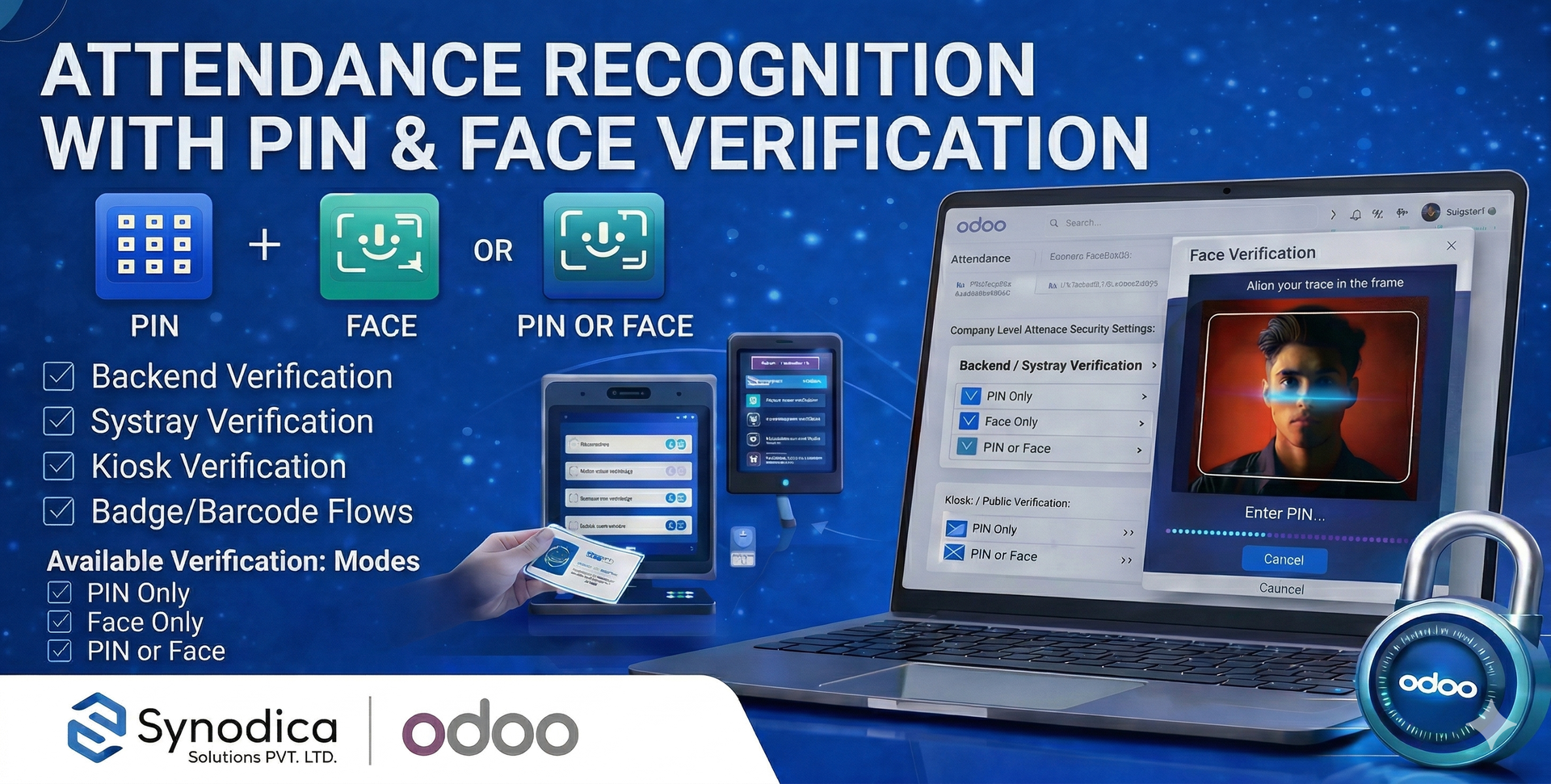
How Attendance Gets Verified
Configure the company rules, enroll employee face references, and Odoo will enforce the selected verification step before attendance is recorded.
Set Company Rules
Choose separate verification modes for backend or systray attendance and kiosk or public attendance.
Enroll Employee Face
Save one or more employee face angles on the employee form to prepare accurate live face verification.
Verify Identity
Employees confirm attendance using PIN, face recognition, or either method according to the configured security mode.
Record Safely
The attendance action completes only after successful verification, including kiosk and badge or barcode scenarios.
See Attendance Verification
A visual walkthrough of attendance setup, employee face enrollment, backend verification, and kiosk attendance confirmation.
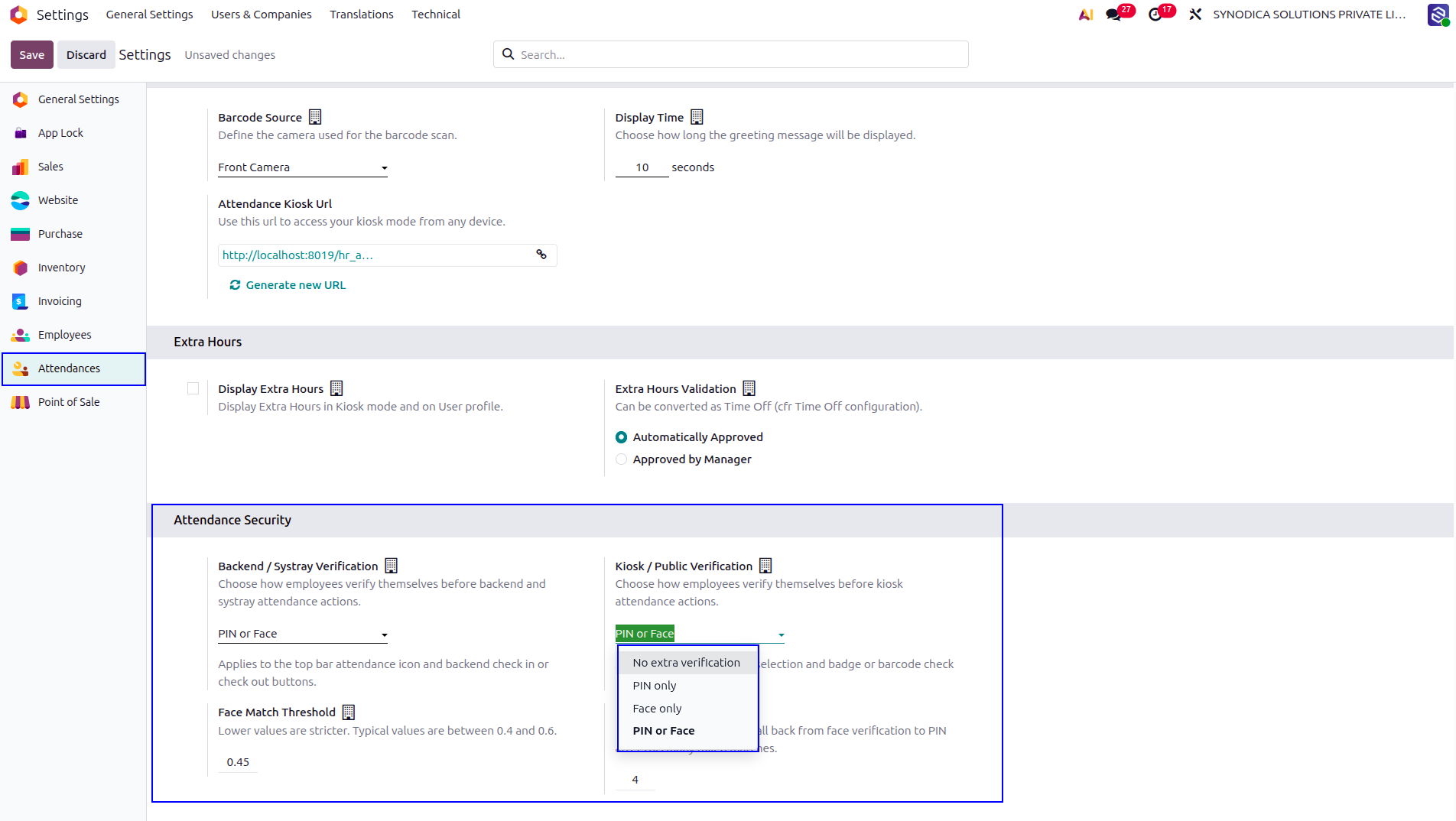
Administrators define separate verification modes for backend or systray attendance and kiosk or public attendance, together with face threshold and fallback behavior.
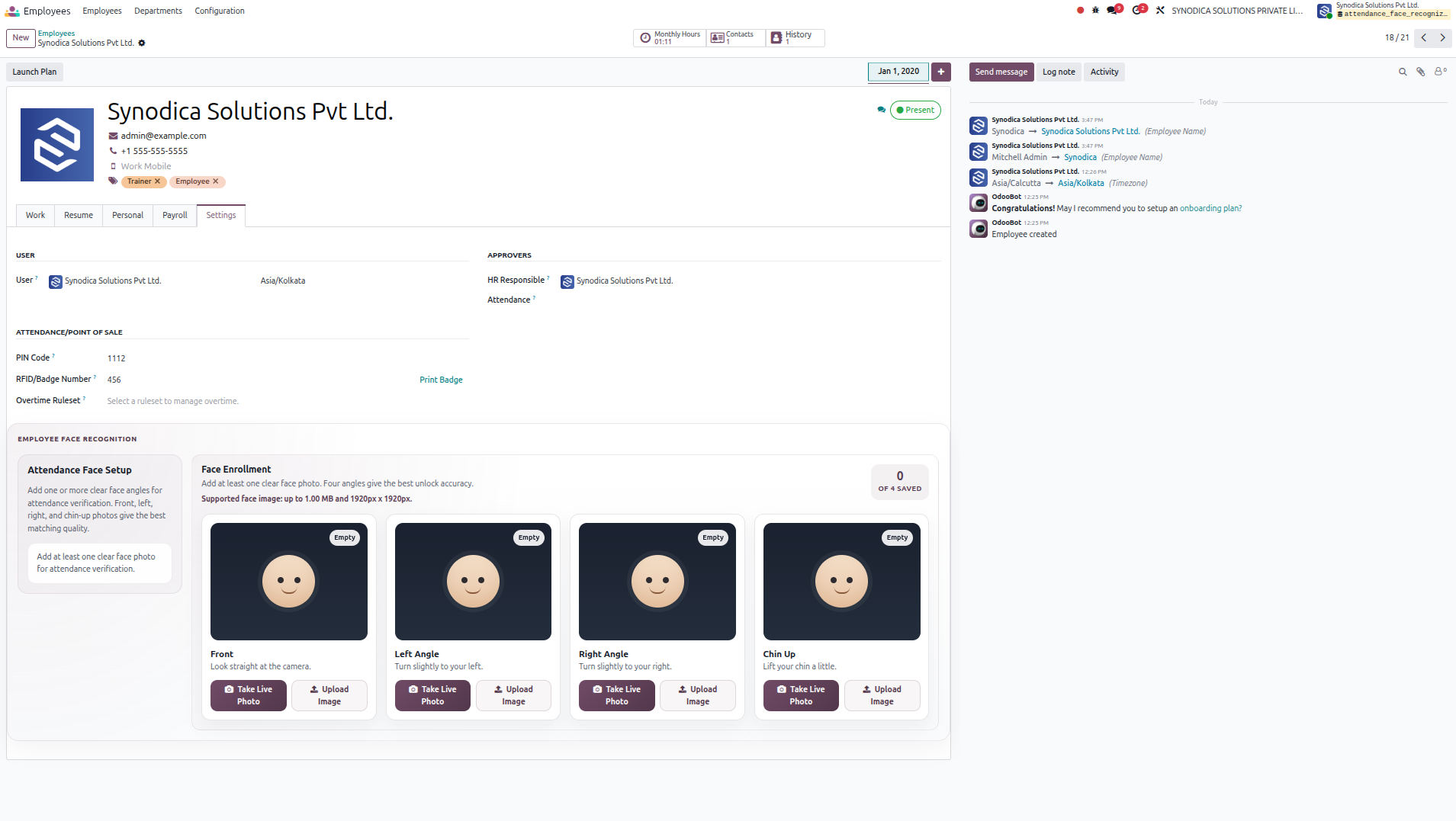
The employee form includes a dedicated face enrollment area where attendance reference images are managed. From here, users can review saved angles and prepare the employee profile for reliable face-based attendance verification.
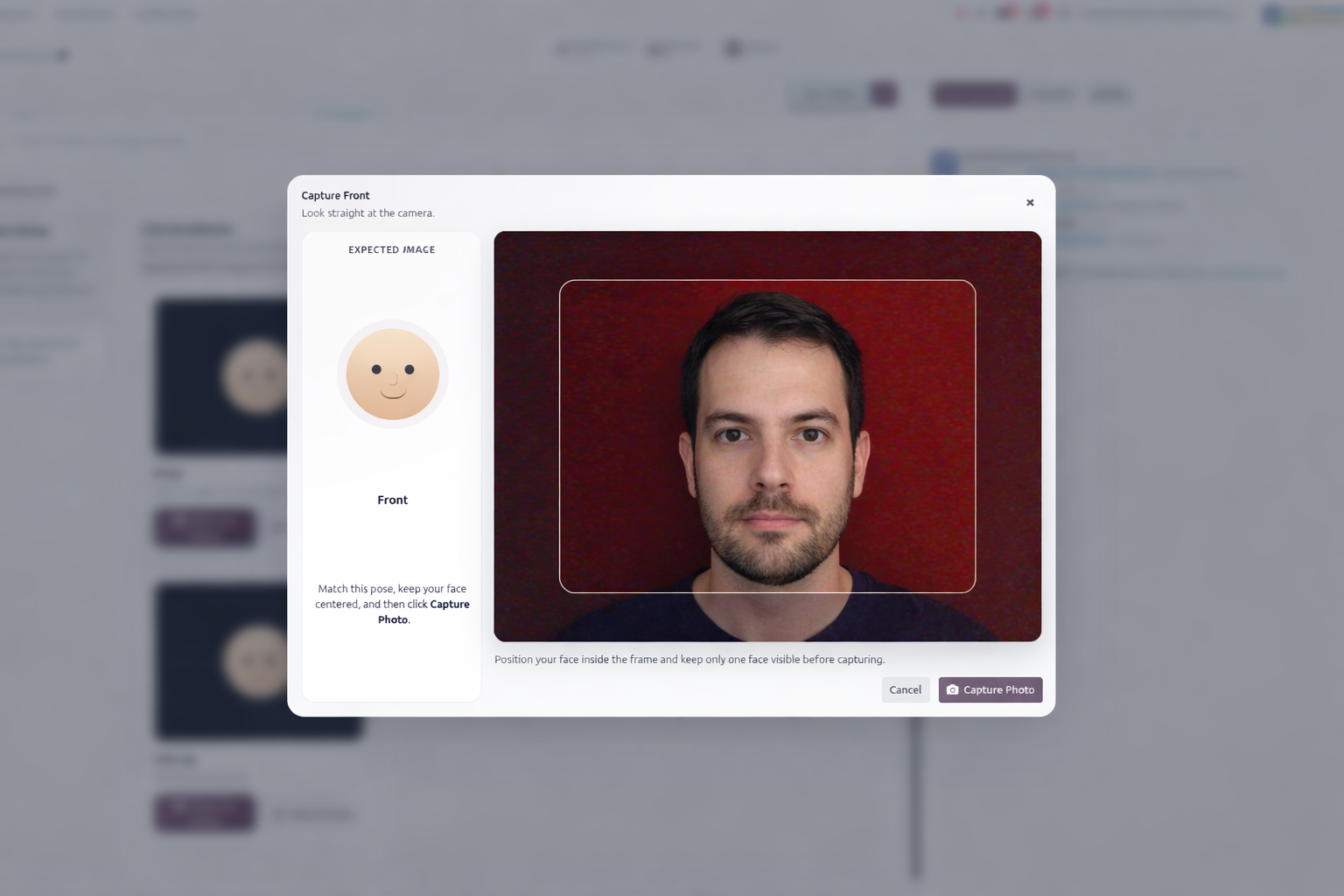
When the user clicks Take Live Photo, a camera capture wizard opens for the selected face angle. The popup helps the employee align the face correctly and save a clear live image directly from the enrollment screen.
Before check-in or check-out from backend or systray, the employee is asked to verify identity with the configured method. This screen shows the face verification step during backend attendance.
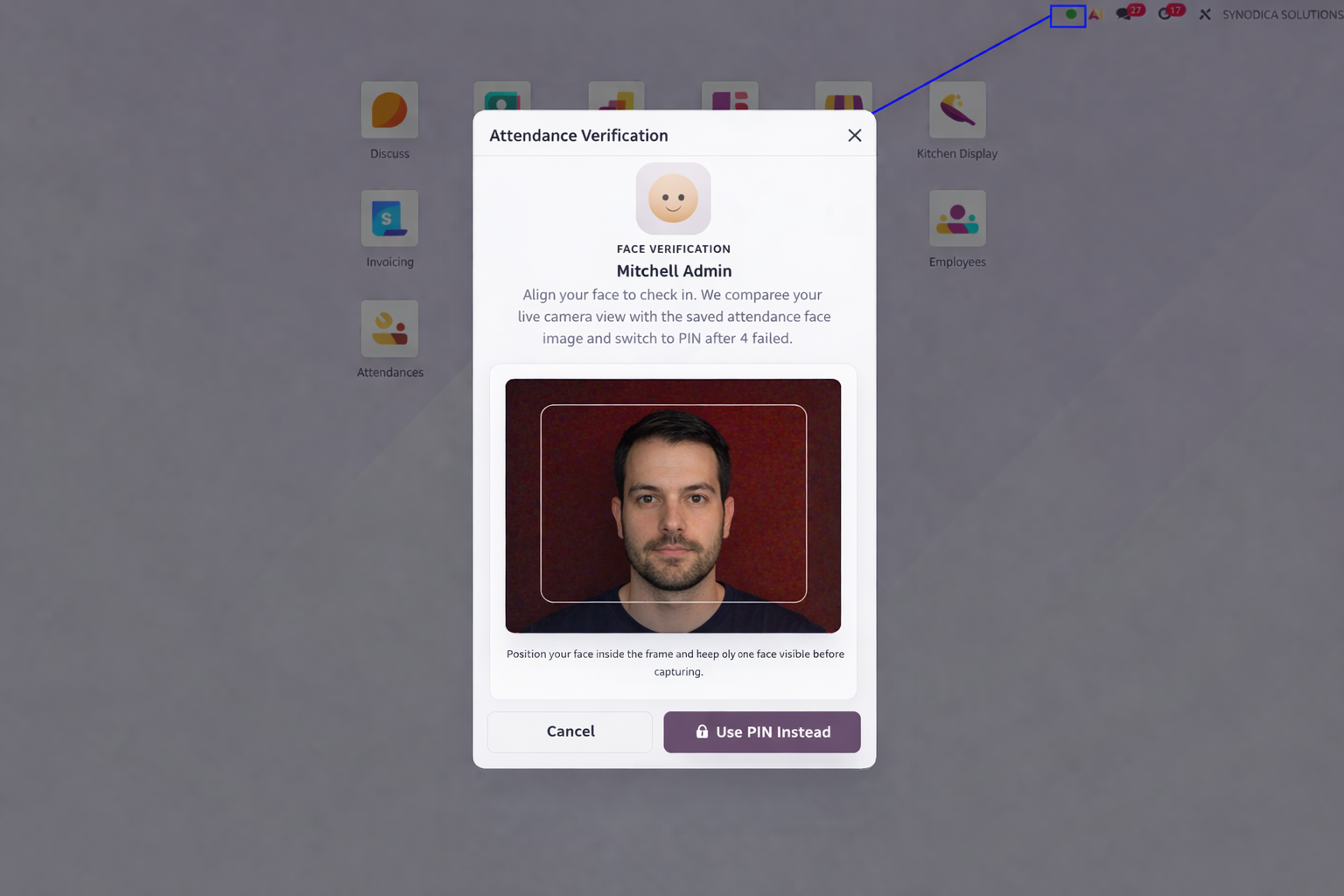
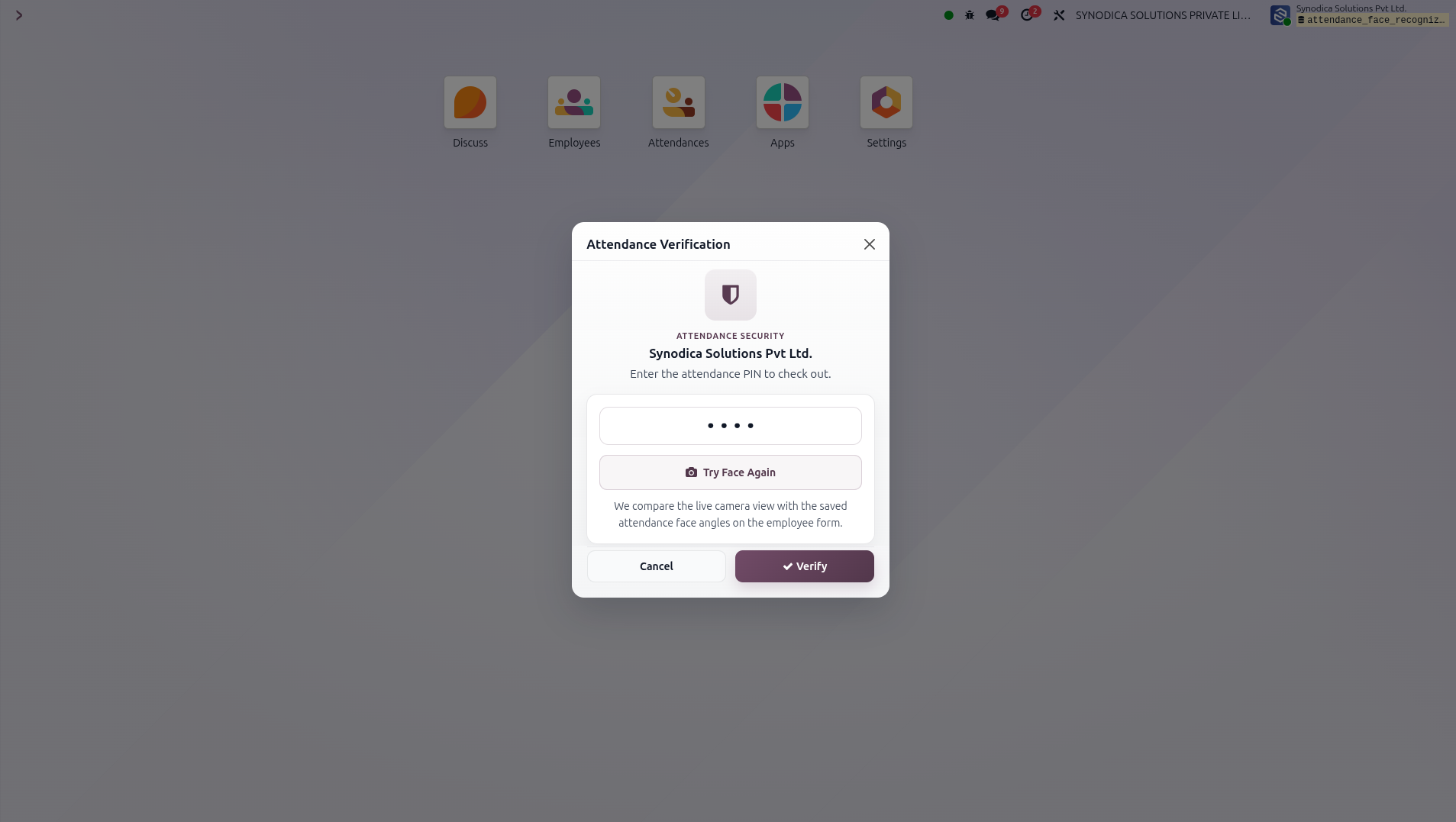
If the employee prefers not to continue with face verification, clicking Use PIN Instead switches the flow to PIN-based attendance verification. This gives a practical fallback option while keeping the attendance action protected.
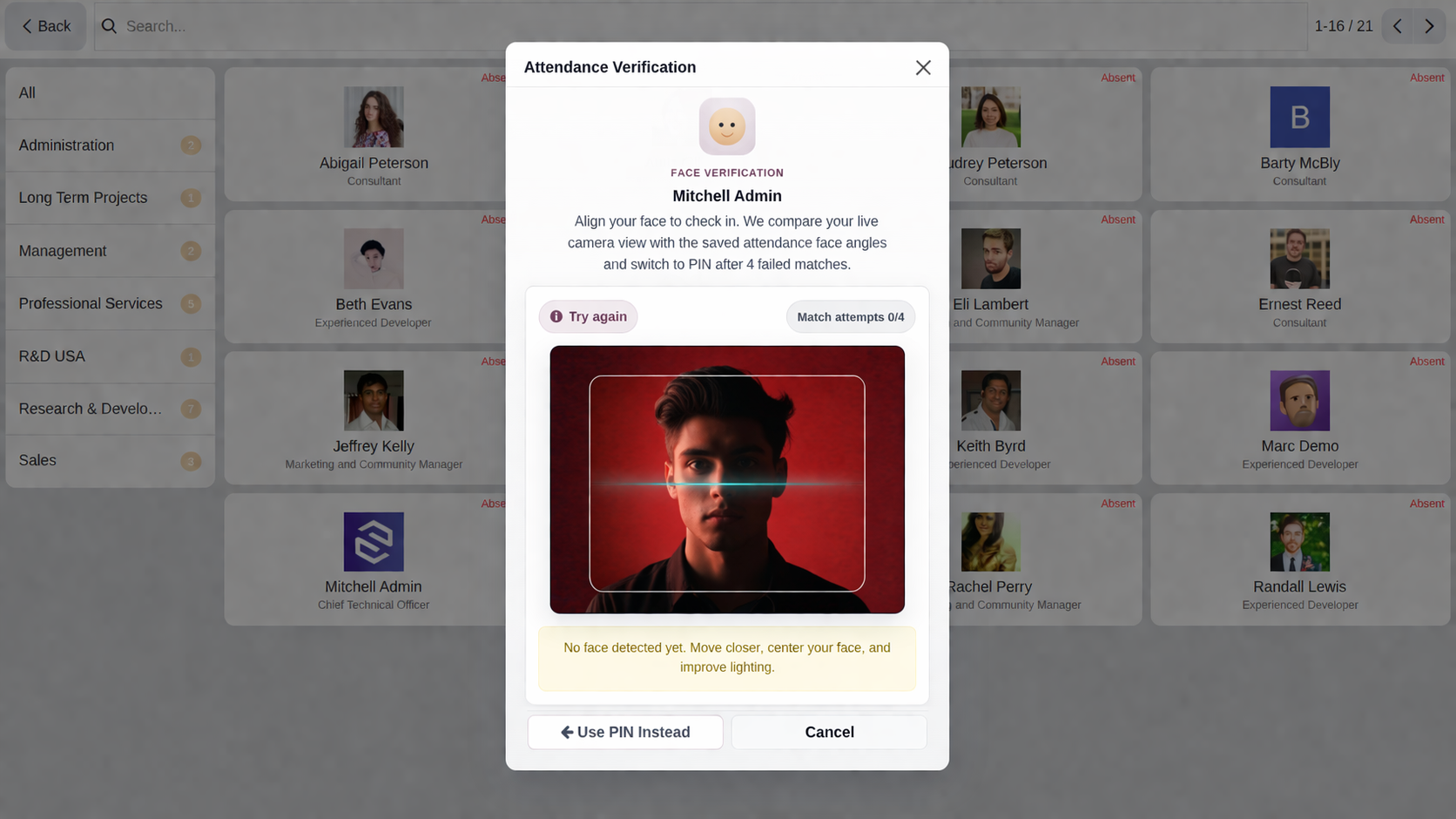
In public kiosk mode, the employee selects a name or scans a badge or barcode and then completes PIN or face verification before attendance is recorded.
What the Module Actually Does
This addon strengthens Odoo attendance with configurable identity checks, reusable employee face references, and secure verification flows for backend, systray, kiosk, and public attendance use.
Backend and Systray Verification
Check-in and check-out actions from attendance buttons and the top bar can require employee verification before the attendance state changes.
Kiosk and Public Attendance
Employee selection, badge scan, and barcode attendance flows in kiosk mode can enforce the same verification logic as backend attendance.
Multi-Angle Face Enrollment
Employees can store front, left, right, and chin-up reference images to improve matching quality during live attendance verification.
Flexible Verification Modes
Each company can choose no extra verification, PIN only, face only, or PIN or face separately for backend and kiosk attendance flows.
Standard Employee PIN Support
The addon works with the existing employee PIN field, so attendance PIN verification fits naturally into the standard employee setup.
Face Match Tuning and PIN Fallback
Administrators can tune face match strictness and decide when face verification should fall back to PIN after repeated failed matches.
Specialized Odoo Services
We build, customize, and maintain Odoo solutions for businesses worldwide - from implementation to advanced integrations.
Secure Every Attendance Action
Add PIN and face verification to Odoo attendance without complicating the user flow. Protect backend and kiosk attendance with clear configuration and employee-friendly verification.
support@synodica.com© 2026 Synodica Solutions PVT. LTD. - Attendance Recognition with PIN & Face Verification for Odoo
We create ERP solutions for you using Odoo ERP that will build a strong and efficient business for you. It's SYNODICA WAY